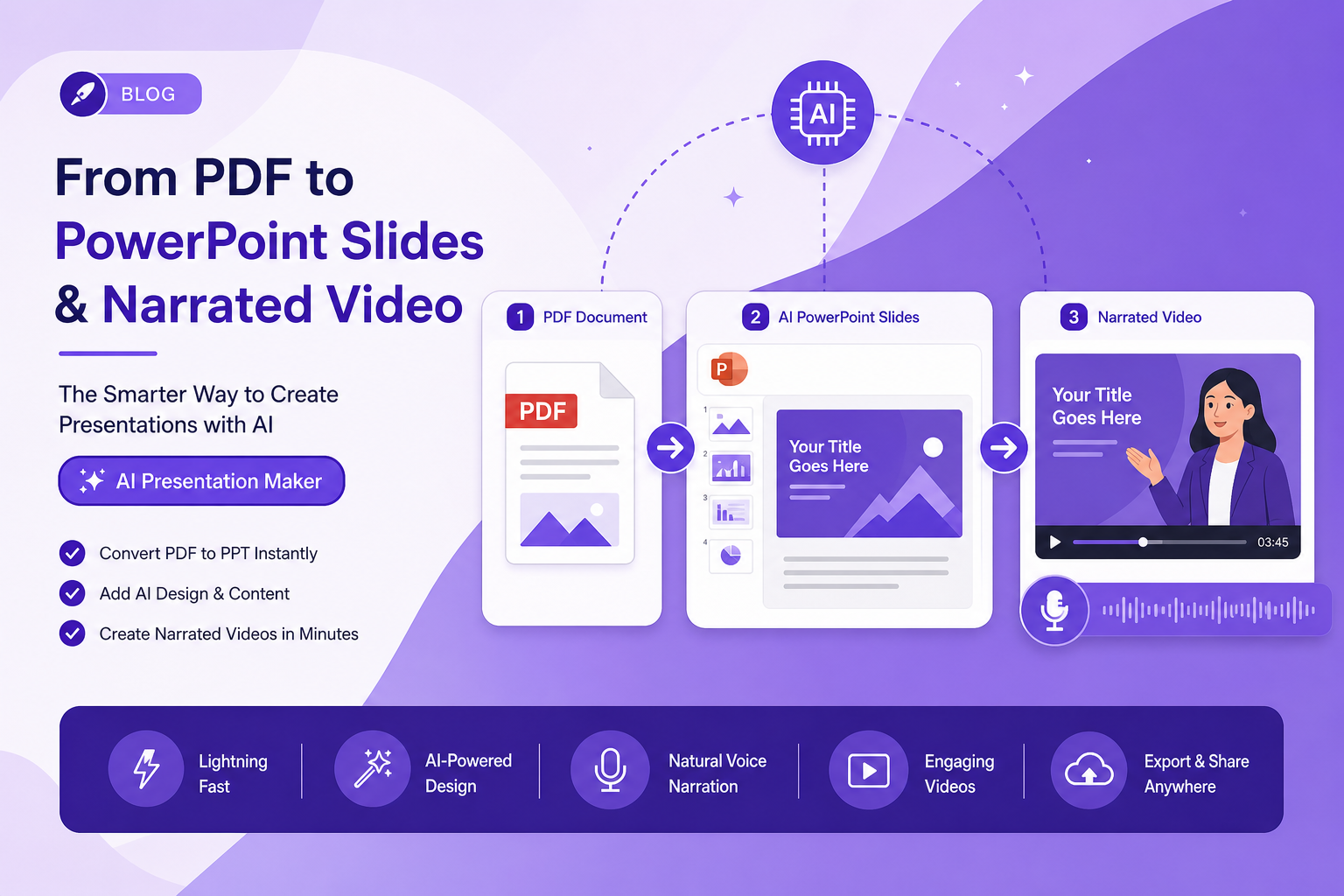
Presentation workflow
5 Best AI PPT Makers From PDF in 2026 (Create Slides in Minutes)
The best AI tools to create PowerPoint presentations from PDFs in 2026 — Gamma, PPT.AI, SlideSpeak, Article Video Studio, and MagicSlides compared with real-world use cases.
Overview
TL;DR: The five best AI tools for turning a PDF into a polished PowerPoint deck in 2026 — Gamma, PPT.AI, SlideSpeak, Article Video Studio, and MagicSlides — compared on accuracy, design quality, and export options.
If you have a PDF — a report, white paper, research document, product guide, or presentation transcript — and you need to turn it into a polished PowerPoint deck, you no longer need to do it manually.
AI PPT makers in 2026 can extract the content from a PDF, identify the logical structure, and generate a complete slide deck in under a minute. The challenge is knowing which tool preserves your content accurately, produces slides that look professional, and exports in a format you can actually use.
Here are the five best AI PPT makers that work from PDF input.
What to Look For in an AI PPT Maker From PDF
Before the list, here's what separates a useful tool from a frustrating one:
- Accurate content extraction — does it understand the document structure, not just dump text?
- Visual quality — are the slides well-designed, or do they look like unstyled outlines?
- Export formats — does it export to actual .pptx files, or only to a proprietary format?
- Editing capability — can you adjust the output before exporting?
- Multiple export formats — some workflows need PDF or PNG alongside PPTX
1. Article Video Studio — Best for Multi-Format Output From Any Document
Best for: Teams that need PPT, PDF, PNG, and video from the same source document
Article Video Studio is primarily a blog-to-video platform, but its export system makes it one of the most versatile tools for turning PDFs into structured presentations. The key advantage is format breadth — a single PDF becomes:
1. PowerPoint (.pptx) — editable slide deck for review, editing, or client delivery
2. PDF slides — shareable presentation-ready document
3. PNG slides — individual slide images for LinkedIn carousels, social posts, or design workflows
4. MP4 video — narrated video of the same content for YouTube, LinkedIn, or embedding
No other tool on this list produces all four formats from one input. For content teams that distribute across multiple channels, this eliminates the need for separate tools for each output.
The visual quality is high — Article Video Studio's templates include editorial grid layouts, cinematic glass panels, bold kinetic text, and clean explainer styles. Each template is specifically designed, not a generic slide-to-slide dump.
Pricing: $4 per export; bulk discounts at 10+ and 30+ Best for: Content teams, marketers, and educators who distribute across video, slides, and social Try it: articlevideostudio.com
2. Gamma — Best for Sharing as a Live Web Document
Best for: Presenters who share content as a live link rather than a downloaded file
Gamma is the most popular standalone AI presentation tool with 70 million users. It uses 20+ AI models to handle layout, copywriting, and design simultaneously. You paste a PDF or enter a prompt and get a fully designed presentation in seconds.
The distinctive feature is output format — Gamma presentations live as shareable web links by default. They can be exported to PDF or downloaded as a PowerPoint file, but the native format is an interactive web document that anyone with the link can view without downloading.
For teams that share presentations as links (via email, Slack, or embedded in pages) rather than as files, Gamma's workflow is more natural than traditional PPT tools.
Free tier: Yes (with Gamma watermark; paid plans from ~$10/month) Best for: Presentations shared as live links rather than downloaded PPTX files
3. PPT.AI — Best for Clean PowerPoint Export From Documents
Best for: Professionals and teams who need standard, editable PPTX output
PPT.AI accepts a wide range of inputs — PDF, Word, PPTX, TXT, CSV, HTML, and more — and generates clean, professionally designed PowerPoint files ready for editing. It focuses on producing slides that look designed rather than AI-generated, with proper hierarchy, spacing, and layout.
The output downloads as a standard .pptx file compatible with Microsoft PowerPoint, Google Slides, and Keynote. For teams that need to hand off the deck for further editing or client review, PPT.AI's clean output is practical.
Free tier: Yes (limited generations) Best for: Professionals who need a standard, editable PPTX they can pass to teammates or clients
4. SlideSpeak — Best for Preserving Charts and Graphics From PDFs
Best for: Documents where the visual content (charts, tables, graphs) matters
SlideSpeak is the only AI presentation tool that specifically preserves charts, graphs, tables, and other visuals from the source PDF and rebuilds them as editable, presentation-ready slides. Most other tools either ignore visual content or replace it with placeholder text.
For PDFs that are data-heavy — financial reports, research studies, analytics dashboards — SlideSpeak's visual preservation makes it the right choice over tools that only handle text extraction well.
Free tier: Yes (limited usage) Best for: Data-heavy PDFs where charts and tables need to survive the conversion
5. MagicSlides — Best for Multi-Source Content (PDFs + YouTube + URLs)
Best for: Creators and researchers who pull from multiple types of sources
MagicSlides is built on Gemini and can turn not just PDFs, but also YouTube videos, Word documents, URLs, and raw text into structured slide decks. For researchers who work across multiple source types, that input flexibility is useful.
The output quality is solid for presentation-style content. Where it stands out is in the ability to process a YouTube video transcript alongside a PDF — combining two sources into one deck.
Free tier: Yes (limited slides per month) Best for: Researchers and content creators pulling from multiple source types simultaneously
Comparison Table
- Article Video Studio — Free: Trial · PPTX Export: ✓ · PDF Export: ✓ · PNG Export: ✓ · Video Export: ✓✓ · Best For: Multi-format output
- Gamma — Free: ✓ · PPTX Export: ✓ · PDF Export: ✓ · PNG Export: — · Video Export: — · Best For: Web-first sharing
- PPT.AI — Free: ✓ · PPTX Export: ✓✓ · PDF Export: ✓ · PNG Export: — · Video Export: — · Best For: Clean PPTX files
- SlideSpeak — Free: ✓ · PPTX Export: ✓ · PDF Export: ✓ · PNG Export: — · Video Export: — · Best For: Data/chart preservation
- MagicSlides — Free: ✓ · PPTX Export: ✓ · PDF Export: ✓ · PNG Export: — · Video Export: — · Best For: Multi-source input
How to Turn a PDF Into a PowerPoint With Article Video Studio
1. Go to articlevideostudio.com and sign in
2. Click New Project → upload your PDF or paste a document link
3. Select a visual template that fits your content style
4. Click Generate — the AI extracts content, structures scenes, and builds slides
5. Review in the editor and adjust any scenes as needed
6. Click Export → select PowerPoint for a .pptx file, PDF for a slide deck, PNG for individual images, or MP4 for video
The same PDF becomes a fully distributed set of assets — presentation, handout, carousel slides, and video — from a single generation.
Frequently Asked Questions
Can AI really create a PowerPoint from a PDF automatically?
Yes. AI tools extract the text and structure from the PDF, identify logical sections, and generate a slide deck. The quality varies by tool — some produce generic outlines, while Article Video Studio and SlideSpeak produce visually polished results.
Do these tools export real .pptx files I can edit in PowerPoint?
PPT.AI, SlideSpeak, MagicSlides, and Article Video Studio all export standard .pptx files. Gamma exports to PPTX but works best as a web-native format.
What types of PDFs work best?
Text-based PDFs — reports, white papers, guides, explainers — work best. Scanned image PDFs without machine-readable text will produce lower quality results.
Can I get slides AND a video from the same PDF?
Yes, with Article Video Studio. It's the only tool that exports all four formats — MP4, PPTX, PDF, and PNG — from a single PDF input.
How many slides does a PDF typically generate?
It depends on the tool's scene density settings, but most tools generate 8–15 slides from a 5–15 page PDF. Article Video Studio generates one scene per major section of the document.