Use case
Why Your Book Launch Video Doesn't Have to Look Like Every Other Book Launch Video
Most book launch videos follow the same formula — dramatic music, floating text, dramatic pause. Here's why that template doesn't work and what to make instead.
Overview
TL;DR: The standard book-launch video (dramatic music, floating text, rotating cover) gets watched once and forgotten. Here's why that template fails and what to make instead — a video built to keep working long after launch week.
Open YouTube and search "[book title] official book trailer" for any nonfiction bestseller from the past five years. You'll see the same video approximately 200 times with different covers:
Sweeping orchestral music. Fragments of sentences appearing one at a time against a black background. A dramatic pause. The book cover, slowly rotating. An author photo. A slow fade. "Available Now."
This format has been the default book launch video for fifteen years. It has produced exactly one kind of result: a video that gets watched at launch, shared by the author's immediate network, and then permanently forgotten.
The book launch video is usually the only video content an author produces. It's designed as a final product, not as part of a content system. And it's designed to look impressive rather than to function.
Here's what actually works instead.
Why the Trailer Formula Doesn't Perform
The standard book trailer has a fundamental problem: it's designed like a movie trailer, but books aren't movies.
A movie trailer works because it can show scenes, characters, action sequences, and emotional moments that create genuine anticipation. A book trailer can't show the book — it can only describe what the book is about using text fragments and stock footage. This produces a video that's visually dramatic but informationally empty.
Viewers watching a book trailer walk away knowing: (1) a book exists, (2) it's about something significant, and (3) they can buy it. They don't walk away understanding the idea, feeling connected to the author, or having any stronger motivation to buy than they had before watching.
Compare that to a video that actually shows the audience the most interesting idea in the book — a 4-minute explainer on the book's central argument that demonstrates the thinking, surprises the viewer with a counterintuitive claim, and ends with: "This is what the whole book is about." That video creates genuine motivation to buy, because the viewer has already gotten a taste of the value and wants more.
Five Video Formats That Actually Sell Books
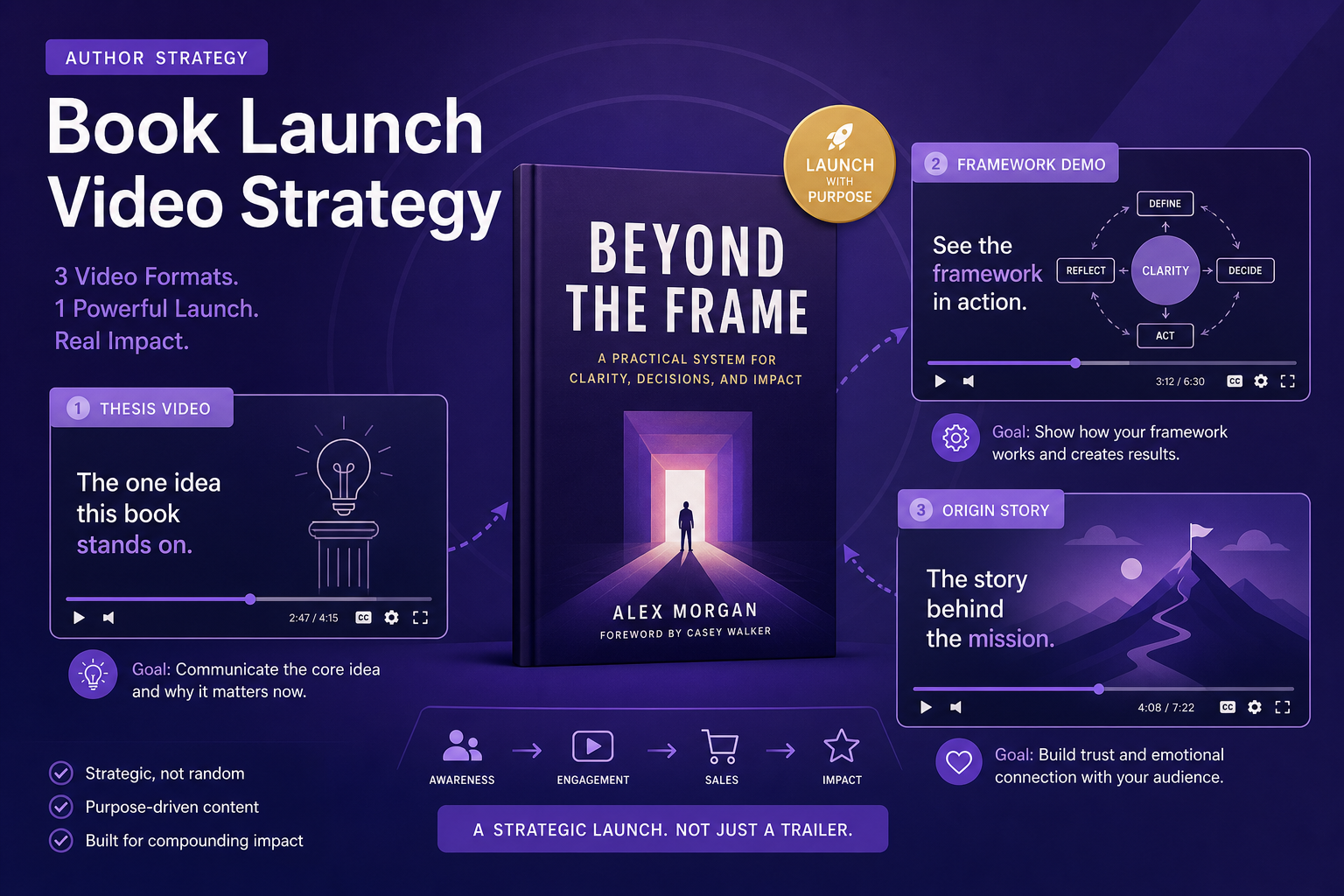
1. The Thesis Video (Most Important)
Take your book's central argument and make it a 3–5 minute standalone video. This is the "why I wrote this book" distilled into its most persuasive form.
The structure:
1. Open with the problem or observation that drove the book ("Most people think X. That's wrong.")
2. State the thesis ("The research — and my interviews with 200 practitioners — shows that Y is what actually matters")
3. Give one concrete example or data point that makes the thesis feel real
4. Explain the implication ("If this is true, it means you should...")
5. Close with the invitation ("The full argument is in [Book Title]")
This is not a book summary. It's your strongest pitch for why the book's ideas matter, delivered as a standalone argument. Someone who watches this video either finds the argument compelling (and buys the book) or doesn't (and wouldn't have bought it anyway). It's self-qualifying marketing.
2. The Research Video
If your book is research-backed, take the most compelling studies, experiments, or data points from your research process and present them as standalone evidence. "Three studies that changed how I think about [your topic]" is one of the most consistently performing educational video formats.
This works because it's immediately shareable with people interested in the topic — they don't need to know your book exists to find the research video valuable. When they watch it and find it useful, they look you up, find the book, and buy it.
3. The Origin Story Video
Tell the story of why you wrote this book in 3–4 minutes. Not the promotional version ("I noticed a gap in the market and set out to fill it") but the honest version — the specific experience, frustration, failure, or discovery that made you feel this book needed to exist.
Origin story videos perform well because they're personal and specific. They're also the one video format that's authentically you — no other author has your reason for writing your book.
4. The Framework Demo
If your book introduces a specific framework, model, or system, produce a video that walks through the framework step by step. This is the most practical format — viewers learn something immediately useful, and the book promises to develop it further.
Framework demo videos get bookmarked, saved, and linked to from other content. They build a search presence around your book's core terminology because people start searching for your framework by name.
5. The "What I Got Wrong" Video
This is the most underused format in book marketing. Publish a video 6–12 months after launch covering what you've learned since the book came out — where you'd revise your thinking, what readers have pushed back on, what the book got right that surprised you.
This format builds extraordinary trust because it signals intellectual honesty. In a content landscape full of self-promotional content, "here's what I got wrong" is genuinely unusual. It also keeps the book alive in the conversation long after the launch window closes.
How to Produce These Videos From Your Book Content
Every one of these video formats can be produced from your existing book material — no new writing required.
Using Article Video Studio:
For the Thesis Video:
1. Paste the introduction or opening chapter of your book
2. Select Nightfall or Chronicle (both signal serious, credible content)
3. Generate and review — the AI will identify the key argument and structure it as narrated scenes
For the Research Video:
1. Paste the key research sections from your book — the paragraphs where you introduce specific studies or data
2. Select Gridcraft (clean, analytical, data-forward)
3. The numbers will appear as data graphic overlays in the relevant scenes
For the Framework Demo:
1. Paste the chapter where you explain your framework step by step
2. Select Geometric Explainer (step-by-step visual layout)
3. Each step becomes a distinct scene
For the Origin Story:
- Adapt the origin story from your book's preface or author's note into a first-person narrated piece
- Select Nightfall (cinematic, personal, narrative)
The Content Calendar for a Book Launch
Here's a video content schedule that creates sustained discovery without burning out:
Months before launch:
1. Month -2: Thesis video (this is your anchor piece — gets shared most)
2. Month -1: Origin story video + research video #1
Launch month:
1. Week 1: Framework demo video
2. Week 2: Research video #2 (different study/data point from book)
3. Week 3: "Most surprising thing I found while writing this book"
4. Week 4: Reader question video (respond to the first questions you're getting post-launch)
Post-launch (months 2–6):
1. 2 videos per month from the chapter-by-chapter content (see the chapter framework in the companion piece on this site)
2. One "response to feedback" video per quarter
Month 12:
1. "What I got wrong / what I'd change" video
This calendar keeps the book visible and discoverable throughout its first year — not just during the three-week window when it's "new."
Frequently Asked Questions
How long should a book launch video be?
For YouTube: 4–8 minutes for the thesis and framework videos (longer content ranks better in search). For LinkedIn: 90 seconds to 3 minutes (the platform's sweet spot for native video). Short-form (under 60 seconds): best for Reels and TikTok, where you're showing one idea or one surprising fact.
Should the book's cover appear prominently in the video?
Yes — at the end of the video and in the thumbnail. The cover should be the final visual before the call to action. But don't let cover promotion dominate the video — the content should come first, the book second.
How do I drive viewers from the video to actually buying?
YouTube: Put the purchase link first in the description, before anything else. LinkedIn: Put the link in the first comment (not the caption — LinkedIn suppresses external links in captions). For all platforms: include a verbal CTA in the last 30 seconds of the video — spoken is more effective than text overlay alone.
What if my publisher is handling my launch content?
Publishers typically produce a book trailer (the rotating cover format we discussed) and schedule press appearances. They rarely produce ongoing educational video content. The videos in this framework are your content, built from your ideas, for your channels. They complement — not compete with — publisher activity.
Is video more effective than podcast appearances for book launches?
They do different things. Podcast appearances build credibility and reach an existing audience. Videos build permanent search discovery. A podcast episode from your launch disappears from the feed in a week. A well-titled YouTube video about your book's ideas surfaces in search for years. Both are valuable; video has more long-term compounding value.